
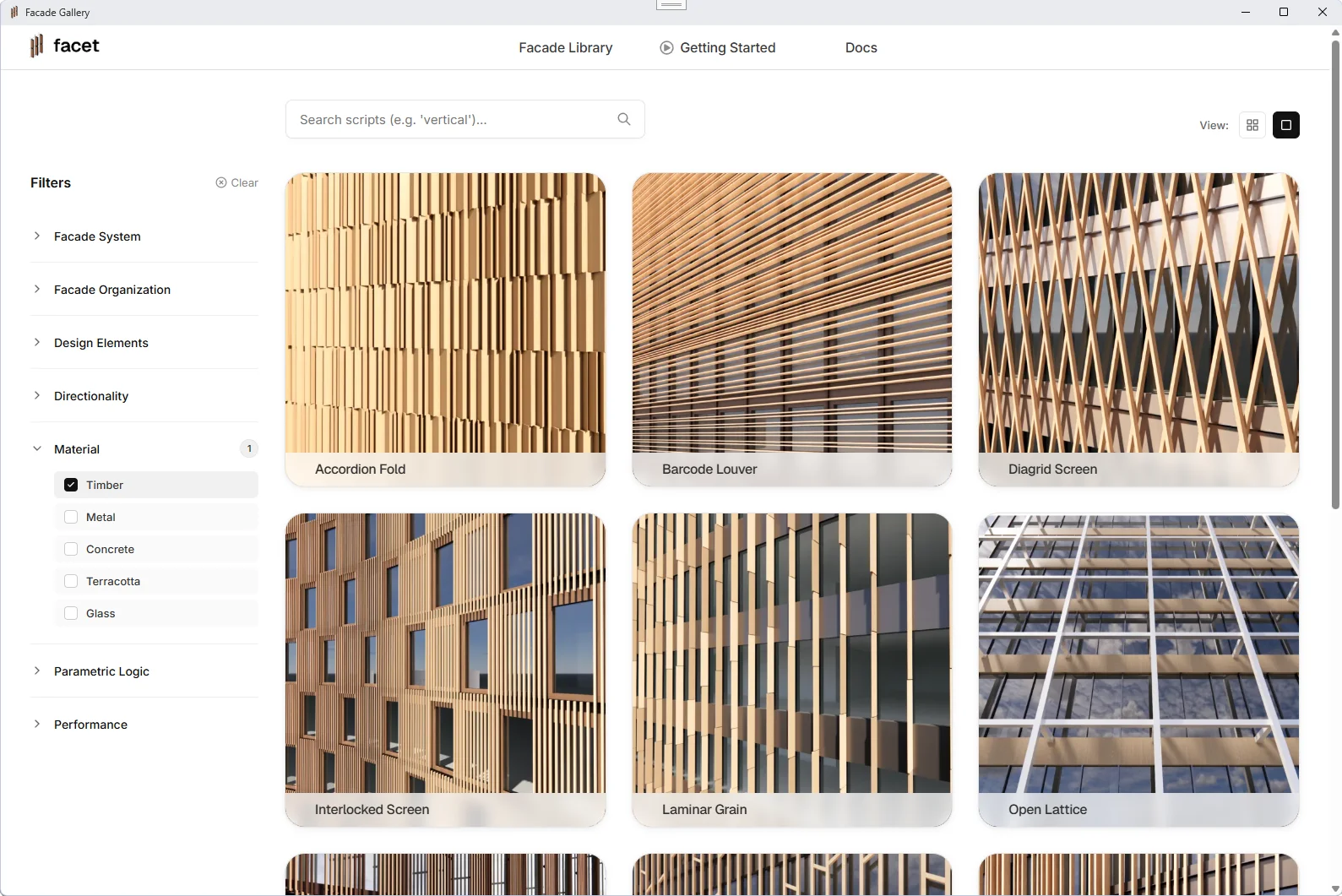
Start from a facade framework.
Don't start from scratch. Pick a framework in the gallery and apply it to any massing — trimmed, curved, polysurface. Mullions, panels, fins, real thicknesses: complete in seconds, on your geometry.
Adjust every element.
Every design decision from the controller, in the viewport — spacing, floor heights, headers, depths, direction. A change takes the time it takes to watch it happen.
Get sustainability metrics, while you design.
Glazing %, CO₂/m², U-value — live beside the design, recomputed as you make changes, no export, no second application. Hover any number for the breakdown by element, so you know what's driving it while you can still act on it.
Load your office's assemblies in the Material Editor and the numbers are yours, not generic.
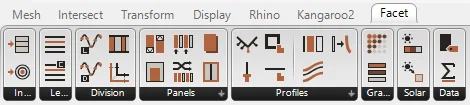
Open the logic in Grasshopper.
Change the logic, not just the values. Every framework opens as a full Grasshopper definition — unlocked, same clean, predictable structure every time. The scripts are organized by element, so you know exactly where to go.
Use Facet's Grasshopper components to extend the frameworks or create your own.
A model you won't have to rebuild.
Your facade has to be right, not just look right. An AI can model a facade for you. It can't give you the same facade twice, make sure it survives tomorrow's change to the massing, or tell you what it's made of. Facet's frameworks are built and tested to do exactly that, and they're open, so you stay in control.
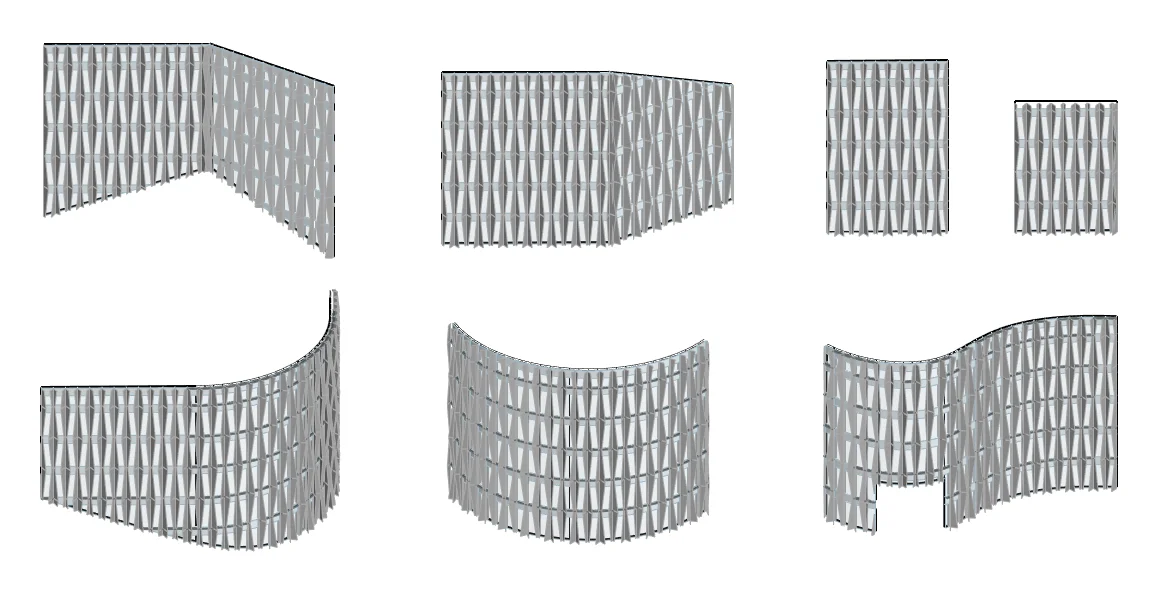
Built for real-world inputs.
Every framework runs against the same set of test inputs before it ships. Trimmed, with openings, curved, one surface or many: your facade survives early design without a day of debugging or an afternoon of re-prompting
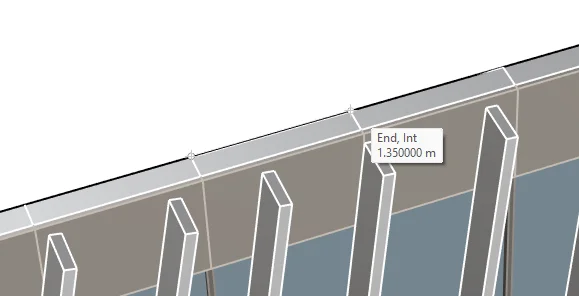
1.35 means 1.35.
Set a spacing of 1.35 m and it measures 1.350000 m. Precise to 0.000001 m. Because a model you don't trust is a model you rebuild from scratch.
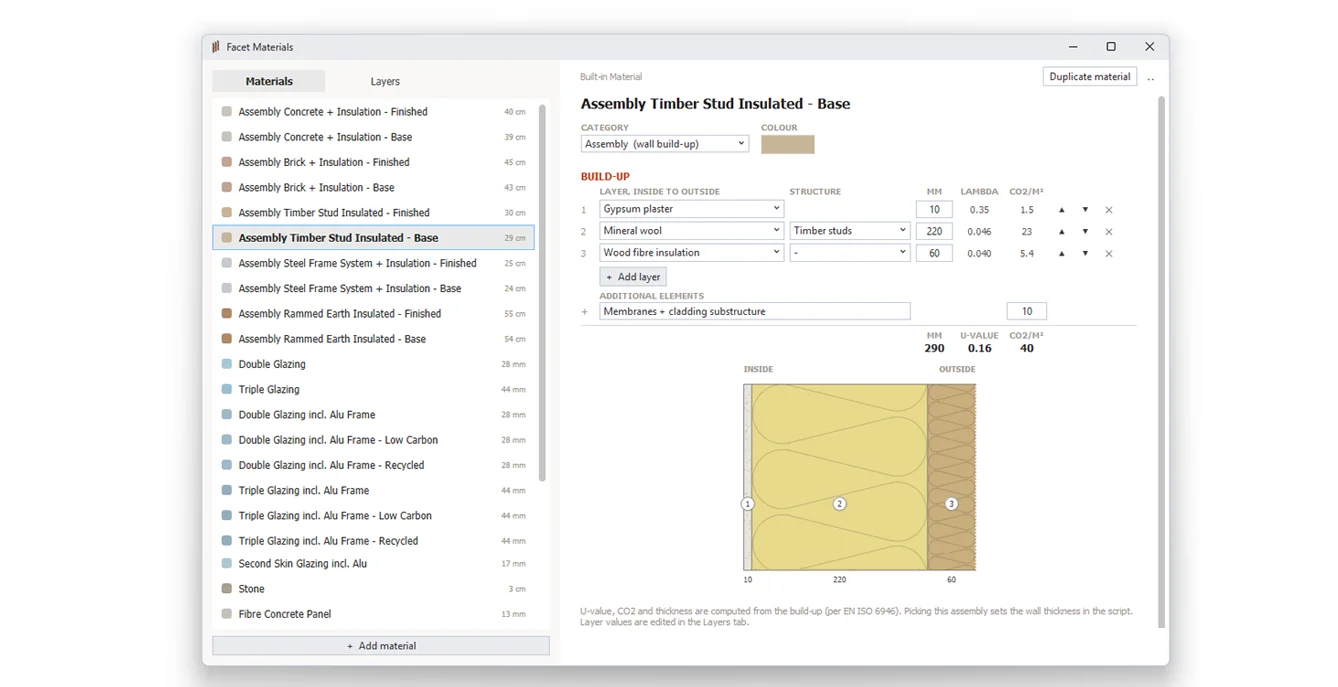
Real build-ups, real thicknesses.
Every element in the preview has a material. Walls are real build-ups: pick one and the facade takes its thickness, its U-value (calculated per EN ISO 6946) and its CO₂, layer by layer. Start from the built-in library or add your own.
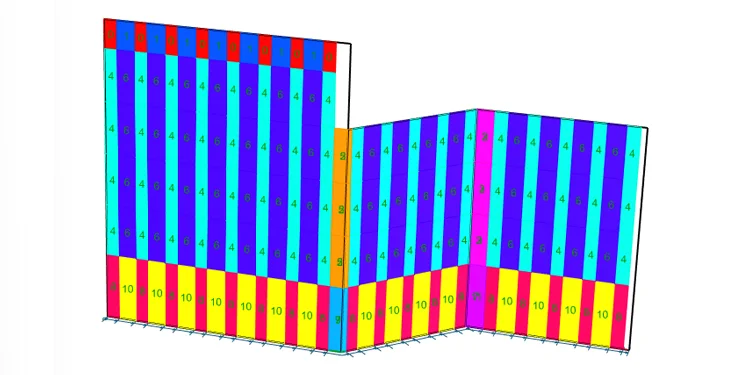
Repeating panels bake as blocks.
Facet finds every panel that repeats and bakes it as an instance of one block. Edit the block once and every copy follows, the file stays light, and the part count is honest. Each color in the preview is one block.